For advisors
Your profile on Financial ADVSR
We publish a profile for every owner, executive and adviser representative in the SEC’s records. Here’s where it comes from, how to claim yours and what you get.
What’s on your profile
Your firms and titles from Schedules A and B of each firm’s Form ADV, and for adviser representatives, the exams, registrations and start date in the SEC’s public adviser records. Every profile links to the SEC’s adviser search and FINRA BrokerCheck for the full record. There are no ratings, reviews or opinions on it.
Claiming it takes about a minute
- Find your profile on the advisors page, by name or CRD number.
- Press Claim this profile and sign in, or create a free account. Use your firm email if you can.
- Confirm your work email. We email it a 6-digit code and you enter it on the page. Your firm’s address with your name in it (jsmith@yourfirm.com) verifies you at once. Anything else goes to an editor, who confirms it’s you, usually within two business days.
What you get
- A verified mark. Your profile shows readers that you reviewed it.
- Your contacts in Atlas. The work email, phone and LinkedIn you add are shown to members of Atlas, never on the public page.
- A badge for your website, linking readers to your profile.
- A monthly email with how many people viewed your profile. One click turns it off.
The badge
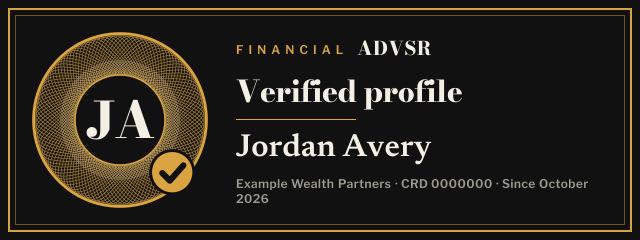
It says one thing: you verified your profile. It isn’t a rating, a ranking or an endorsement, and no one pays for it. As with any third-party listing, check with your compliance team before you put it up. Badges for firms on our data-built lists are on the rankings badge page.
Corrections and removal
The facts on your profile are as filed with the SEC, so they change when the filings do. If we got something wrong, ask for a correction. You can withdraw your claim and remove anything you added at any time from your account. Our editorial standards cover how we correct.
Questions
Why do I have a profile on Financial ADVSR?
We publish a profile for the owners and executives that SEC-registered advisers list on Form ADV, and for investment adviser representatives in the SEC’s public adviser records. Everything on it comes from those filings, which are public, and each page links to the SEC’s adviser search and FINRA BrokerCheck for the full record.
How do I claim my profile?
Find your profile, press Claim this profile and sign in or create a free account. Then confirm your work email: we send a 6-digit code to it and you enter it on the page. If it’s your firm’s address with your name in it (like jsmith@yourfirm.com), your claim verifies at once. Otherwise an editor confirms it’s you, usually within two business days.
Does claiming cost anything?
No. Claiming, the verified mark, the website badge and the monthly views email are free. No one pays to have a profile, to be verified or to appear in our rankings.
Who sees the contact details I add?
Members of Atlas, our paid database, see the work email, phone and LinkedIn you add. They never appear on the public page. You can change or remove them at any time from your account.
Is the badge a rating or an endorsement?
No. The badge says you verified your profile on Financial ADVSR. It isn’t a rating, a ranking, a review or an endorsement, and it isn’t paid for. As with any third-party listing, check with your compliance team before you use it.
Can I change what my profile says, or have it removed?
The facts on your profile are as filed with the SEC, so they change when the filings do. If we got something wrong, ask for a correction and we’ll fix it. You can withdraw your claim and remove anything you added at any time, and you can ask us to stop showing contact details for you.